
Alamance Mugshots and Public Records
A booking photograph is created during an arrest and booking episode. North Carolina’s public-record law defines photographs broadly as records when an agency makes or receives them in public business. That broad definition does not make every image available in every case. Criminal-investigation exemptions, juvenile confidentiality, expunction orders, and other laws can support redaction or withholding. ACSO is the custodian for the county booking photograph, while a state correctional portrait belongs to NC DAC.
Release does not erase the historical fact that an image was created. It also does not guarantee that the image stays visible on the public P2C interface. Alamance P2C is a current Inmate Inquiry, and no verified official 24-hour or 72-hour release feed exists. When a person leaves the visible roster, use the saved booking number in a written records request. Match any photo to the arrest date and source before drawing a conclusion about the person.
Where Alamance Release Mugshots Appear
Official channels have different scopes. The sheriff’s photo concerns the Alamance County booking. A DAC photo concerns state correctional custody and may have been created at another place and time. VINELink is useful for custody status and notice functions, but the research did not verify it as the dependable source for an Alamance booking photograph. Use the table to choose the custodian that matches the event.
| Channel | Has a photo? | How to access it |
|---|---|---|
| ACSO P2C detail | Yes, an image area is part of the public detail template. | Search the current Inmate Inquiry and open the matching detail while reachable. |
| ACSO records request | Potentially, subject to lawful redaction or withholding. | Request the booking photograph tied to a booking number and date. |
| Official ACSO app | Not verified as a distinct photo archive. | Its advertised scope is inmate search and inmate information, not recent releases. |
| NC DAC person record | May display an offender image. | Use the state offender number or exact identity for a state correctional record. |
| VINELink / NC SAVAN | Not established as the primary booking-photo channel. | Use it for reported custody events and notifications, then return to the custodian. |
| Official news release | Sometimes. | Search ACSO’s official news posts by name and incident date. |
| Commercial archive | May retain an old image. | Treat it only as a lead; do not rely on it for release, identity, or case outcome. |
Court portals usually answer disposition questions and do not supply the jail photograph. A photo found with a court-related search should be checked against the official booking source, not assumed to belong to that case.
Find an Alamance P2C Photo
Start at the official Alamance P2C Inmate Inquiry. Search the exact first and last name. Use middle name, race, sex, age, arrest date, booking agency, and primary charge only to distinguish matching rows. Open the detail. The template can display name, age, race and sex, arrest date, release date, next court date, image, total bond amount, and charge details.
The detail screen is strongest while the record remains reachable. Save the booking identifier and the date of the check. A blank release-date field on a current record is not a future release estimate. Likewise, the presence of a photo does not show that the person is still held. Check the status and call ACSO when the roster and detail do not answer the custody question.
The official P2C detail template shows where the image and release-date labels appear.
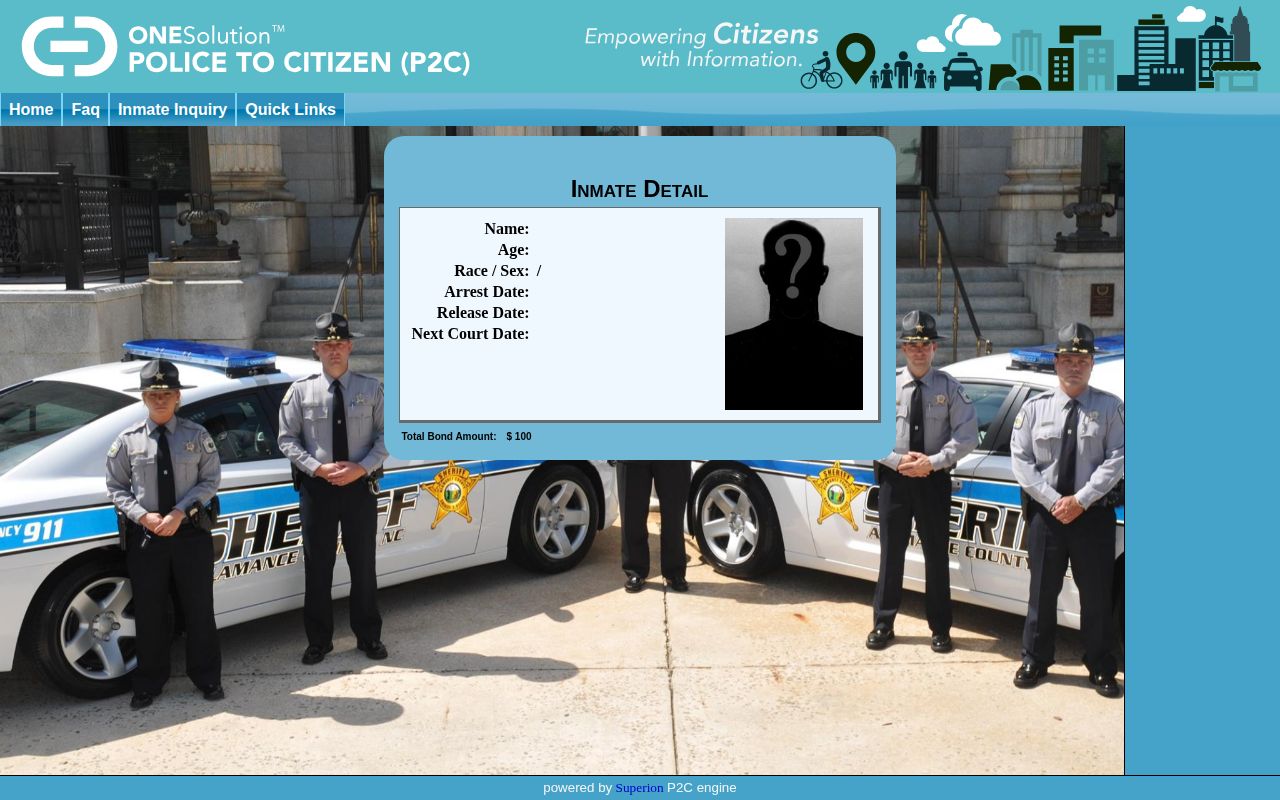
This captured template illustrates the available field layout. It is not evidence that a particular person shown in a live record has been released.
Note: Save the booking number early because ACSO publishes no post-release retention period for a P2C detail record.
Alamance Mugshot Apps Have Limits
The official ACSO app is real, but its verified marketing terms are narrow. The sheriff’s app announcement advertises “Inmate Search” and “Inmate Information.” No official source reviewed promises a recent-release view, historical image archive, or separate released-mugshot gallery. The app must not be presented as proof that someone left custody.
VINELink is a separate system delivered in North Carolina through NC SAVAN. It is designed for custody status and alerts, not as a substitute for the sheriff’s booking-photo record. If a VINELink result reports release, confirm the source agency and event date, then use P2C or ACSO records for the image. An app with a similar name is not automatically an official ACSO product.
The official Alamance County Sheriff app listing identifies the publisher. The ACSO app announcement shown below states the advertised inmate-information functions.
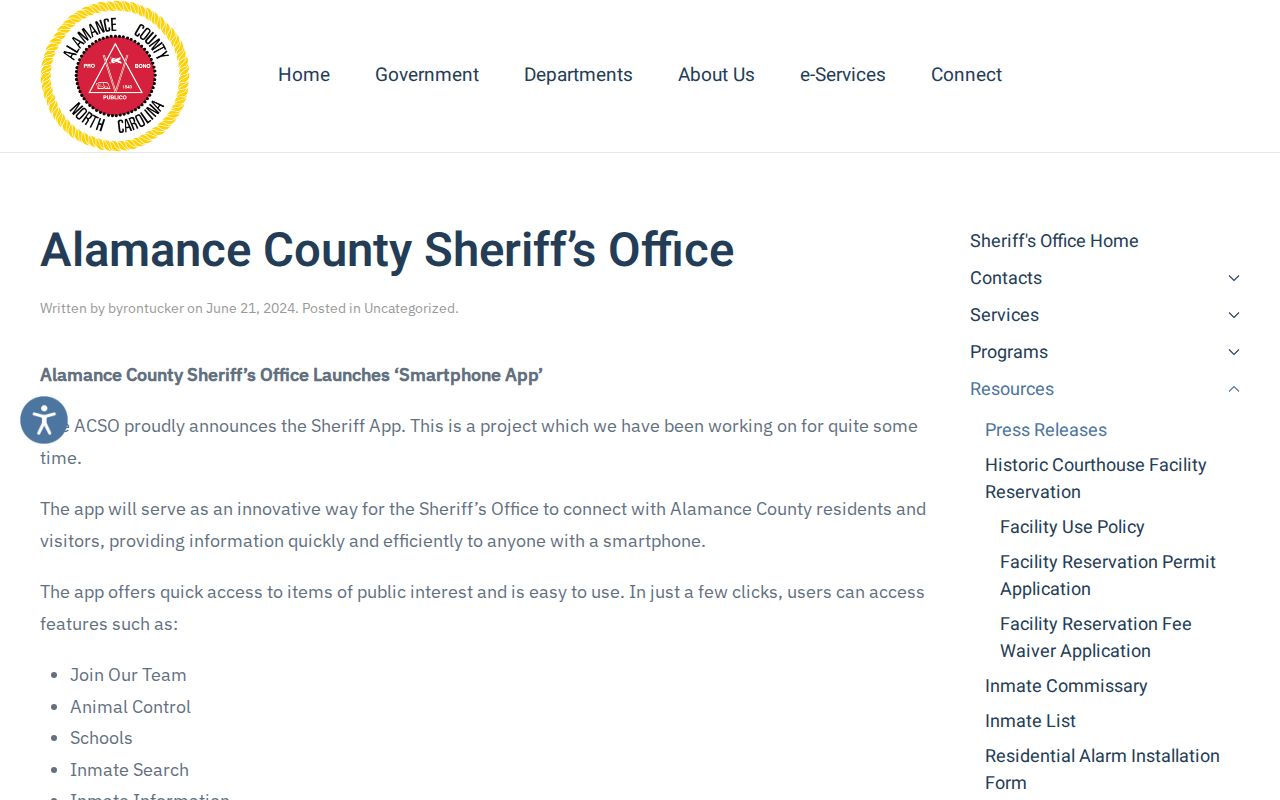
The listing supports use of the app for current inmate information, while its lack of a promised release archive keeps ACSO records as the post-release photo route.
Request an Alamance Booking Photo
When the P2C detail is gone, submit a written request through the ACSO public-records page. Ask for the existing booking photograph tied to one named adult and one booking episode. Precise details reduce the risk of a mistaken match. They also make clear that the request concerns a custodian record, not a new summary or edited image.
- Provide the full name and date of birth if known, plus the booking number whenever available.
- Identify the arrest or booking date and the arresting or booking agency.
- Ask for the booking photograph associated with that episode and an electronic copy if available.
- Request a written cost estimate. No local booking-photo fee was found in the research.
- Ask ACSO to redact exempt content and provide the separable public part if a restriction applies.
- Compare the returned photo and booking data with the court case before treating the episode as resolved.
The official request page links to a required written form. North Carolina law permits inspection and copies of public records subject to applicable exemptions. Ordinary uncertified copies generally cannot exceed actual reproduction cost unless another law authorizes a different charge. Court-certified copies and specialized records may follow other fee rules.
The associated release record may also include booking date and time, agency, charges at booking, bond data, release date and time, release reason or code, releasing authority, and a destination or transfer agency when recorded and public. Those fields give the image its correct custody context.
Compare Alamance and DAC Photos
A person who left the Alamance County jail for North Carolina state prison was transferred, not released to the community. The NC DAC Offender Public Information Search can contain an offender image and state custody history. That photo is not interchangeable with the Alamance booking photograph. It may come from a later state admission and can differ in date, appearance, and source.
Search DAC by offender number when possible. If using a name, compare aliases, demographics, conviction county, sentence data, most recent incarceration, and current status. The public person page, not a search-result snippet, is the record to read. DAC covers state prison, probation, and parole records within its scope and expressly excludes county-jail data.
Official ACSO news releases and established local reporting may preserve an arrest image after P2C changes. A press image proves only that the source published that image at that time. It does not prove conviction, current custody, or the final disposition. Commercial mugshot archives can be stale, misidentified, or detached from later court action. No commercial source should replace ACSO, DAC, or the court record.
Note: A DAC offender portrait and an ACSO booking photograph are separate records even when they depict the same person.
Match Alamance Mugshots to Cases
The booking image identifies an arrest episode, not the outcome. Use North Carolina eCourts to locate the public Alamance case by party name or case number. A case record can preserve charges, filing and offense information, events, disposition, judgment, sentence, bond events, and docket entries. The Clerk supplies certified copies when needed. The court record may explain why the case ended or changed, but it may not record the exact moment the jail opened the door.
Identity checks matter most when names repeat. Compare the booking date, arresting agency, charge, age, and case number before connecting the photograph to a court file. Do not use an unrelated image found beside a similar name. If the court shows dismissal, acquittal, or expunction, that later legal fact must not be ignored merely because an older booking image remains online.
The Alamance County released inmate search sets out the broader records path for custody, court disposition, and transfers. It is the better route when the question is what happened after the photograph was taken.
Correct or Remove Alamance Mugshots
Start with the source that displays the image. Give ACSO or DAC the exact URL, screenshot, booking number or offender number, and a short explanation of the claimed error. For mistaken identity, state which identifying field is wrong. For dismissal, acquittal, or expunction, provide the public case number or order that supports the request. An expunction is a court process that removes eligible records as the law directs; it is not the same as simply hiding a web page.
North Carolina’s public-record rules and criminal-investigation exemptions must be read with the expunction statutes, juvenile protections, and any source-specific duties. No current codified statewide anti-pay-to-remove law was verified. A proposed bill is not law. Do not pay or rely on a service that promises automatic removal, and do not assume that removing one copy changes every official record.
Correction requests should be factual and narrow. Ask the official source to correct a mismatched identity, update the public status where its policy and law require it, or explain the authority for withholding or continued publication. A third-party copy may need a separate request after the official record has been corrected. Keep the court order and source response together for follow-up.