
Alamance County VINELink Coverage
North Carolina calls its statewide service NC SAVAN, short for Statewide Automated Victim Assistance and Notification. VINELink is the North Carolina web interface used to search a person and request alerts. The service is designed to receive information from participating county jail, court, and state correctional sources. The live record identifies its source. Coverage and field freshness can differ among agencies, so the source label matters as much as the status.
For an Alamance County jail booking, begin with an Alamance source in the result. A person held only at the Alamance County Detention Center may never have a DAC offender record. State prison and community-supervision records belong to the North Carolina Department of Adult Correction. VINELink does not replace either custodian. It provides a timely status and notification channel that can bridge the gap between a live roster check and direct agency confirmation.
The North Carolina Sex Offender and Public Protection Registry is separate. It is limited to people with a current legal duty to register and is not a general list of released inmates. A registry result cannot be used to infer the status of everyone else.
Why Alamance Uses NC SAVAN
DAC’s victim-support information directs county-jail questions to NC SAVAN. That local layer is important in Alamance County because DAC Offender Public Information covers state prison and community supervision, not every county booking. Searching DAC alone can miss a short jail stay even when the booking was valid.
The statewide telephone route is 1-877-NC-SAVAN (1-877-627-2826). The web route remains VINELink. These names describe connected parts of the same notification service, not competing inmate lists. NC SAVAN is the North Carolina program; VINELink supplies the search and alert interface.
The official VINELink entry screen can be reviewed at the source before searching. Open the North Carolina VINELink page shown here.
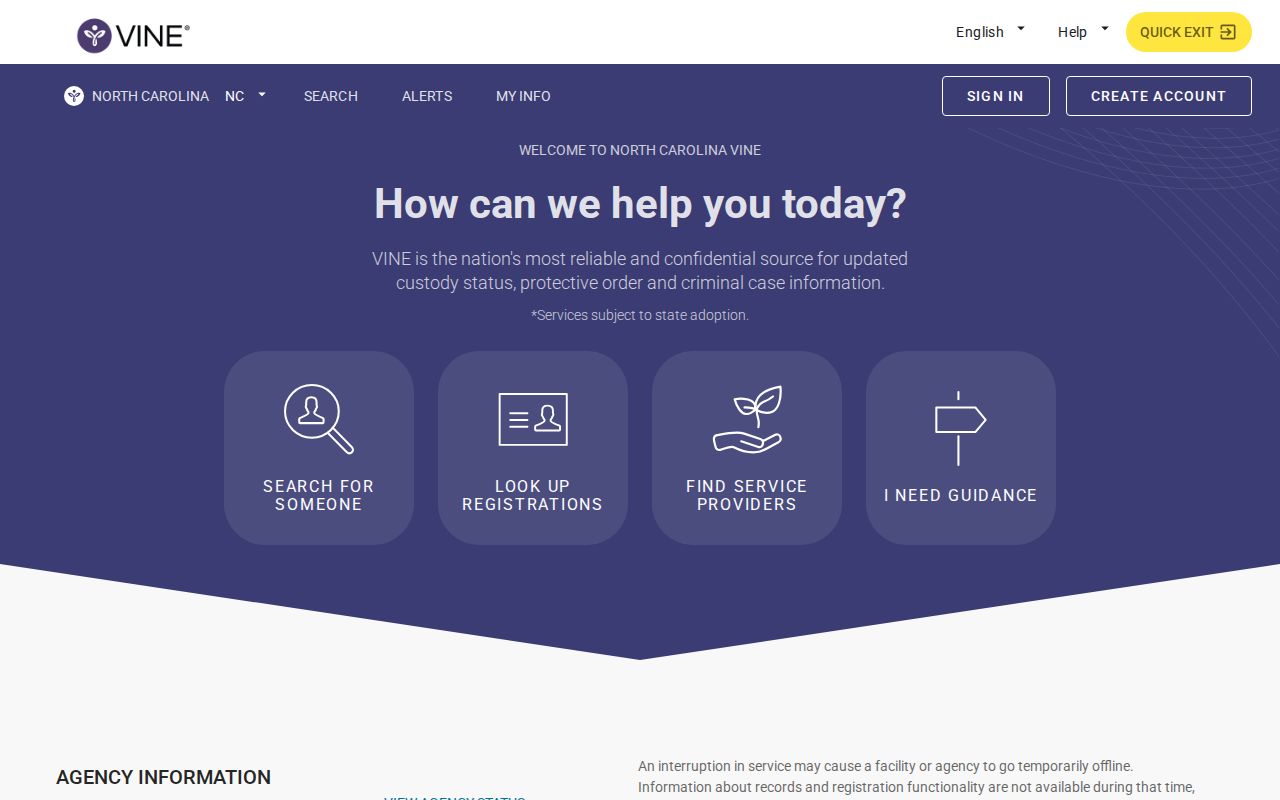
The screen is an entry point, not proof of any person’s status. A valid conclusion comes only after opening the correct matching record and checking the reporting agency.
Search One Alamance County Inmate
A one-person search needs more than a shared name. Exact spelling, a middle name, suffix, age or date information, an offender ID, and the source agency can separate two similar results. Keep the search focused on the person whose custody event is being followed.
- Open North Carolina in VINELink and select the people or offender search offered by the interface.
- Enter the exact name or known ID. Try a careful spelling variant only when the first search fails.
- Compare each match by available age, date, identifier, and reporting agency. Do not merge facts from two records.
- Open the matching result and read the custody status, event wording, source, and date together.
- If release is shown, contact the source agency when the exact time, destination, or legal basis matters.
For a current county booking, compare the result with the ACSO P2C Inmate Inquiry. P2C is a live inmate list, not a durable release archive. A person missing from either search is not automatically released.
Alamance VINELink Release Fields
Field presence varies by participating source. Read only what the selected record actually displays. A released or non-custody label supports that the reporting source sent such an event. It does not certify the court outcome or rule out custody elsewhere.
| Field or signal | What it can establish |
|---|---|
| Name and identifier | Which person record was selected, subject to careful identity matching. |
| Reporting agency | The county jail, state correctional source, court source, or other participant that supplied the event. |
| Custody or status | The condition transmitted by that source, such as custody, released, or another available label. |
| Facility or location | The custodian or place reported at that point, which may reveal a transfer instead of community release. |
| Event date | The date attached to the reported change, not necessarily a certified physical exit time. |
| Notification options | The channels and custody events offered for that record at registration time. |
A new custodian means transfer, not freedom from custody. A scheduled or projected date also differs from an actual release event. For a state prisoner, the DAC person record gives the sentence context that VINELink may not show.
Note: Record the date and time of each check because VINELink and the county roster can change after an agency transmits new data.
Set Alamance County Release Alerts
Alert registration begins inside the correct person record. Available events and channels can vary. Phone, text, email, or app delivery may be offered, but no channel should be promised until the interface displays it for that record.
- Select Get notified or the equivalent action on the matched record.
- Choose an offered event, such as release, transfer, or another custody change.
- Enter the phone number, email address, text destination, or app option with care.
- Create the requested four-digit PIN for telephone alerts. Use it when the automated call asks for acknowledgment.
- Complete any email, text, or app confirmation and retain the registration details in private.
Never publish a PIN, contact destination, or another person’s registration. An alert tells the registrant what the reporting source transmitted. It does not replace a sheriff release sheet, DAC release record, or court order.
No Alamance VINELink Result
No result has several possible causes: a spelling mismatch, duplicate-name filtering, a delay in agency data, record suppression, limited source participation, or a move into a system outside VINELink’s scope. It does not prove release. Search again with a known ID, then compare the correct custodian.
Timing can create a false impression. The sheriff roster and VINELink may receive updates through different processes, so one can change before the other. Preserve the exact wording and check time instead of assigning an unsupported release hour. When two sources conflict, the office that controlled the specific custody event has the stronger record: ACSO for the county jail, DAC for state prison, and the Clerk for the legal disposition.
Call the Alamance County Detention Center at (336) 570-6317 for a county episode. Ask whether the person remains in custody, left for the community, or transferred to another authority. For state prison or supervision, use DAC Offender Public Information. The broader Alamance County released-inmate search path explains how to add the sheriff record and matching court case.
Confirm an Alamance Release
Confirmation follows the event’s owner. ACSO controls the county jail door-out record. DAC controls a state prison discharge or community-supervision episode. The Clerk controls the judgment, dismissal, bond order, or other case document. BOP controls a federal custody date. A VINELink event is useful corroboration, but it should not be made to answer a question that belongs to another system.
For an Alamance release, save the displayed source, event text, and event date. Then call the source agency or request its existing record. Ask whether the event was a community release or a transfer. When legal disposition matters, match the name and case number in North Carolina eCourts and obtain the needed document from the Alamance Clerk. This two-source method also prevents a later return to custody from erasing the fact that an earlier release occurred.
County, state, and federal records have distinct meanings. An ACSO event concerns the Alamance detention episode. A DAC event concerns state correctional custody or supervision, even when the conviction county was Alamance. A BOP date concerns federal custody. VINELink does not cover the BOP locator, and a BOP release does not rule out state or immigration custody.
If the person appears released but the destination is unclear, ask the source whether another agency received custody. A transfer can trigger a custody-change event without placing the person in the community. If the question is why legal detention ended, add the matching court order or judgment. The alert answers what was transmitted; the custodian and court records explain the event.
Use two identifiers whenever possible. Common names, suffixes, aliases, and date errors can produce a convincing but incorrect match. Keeping the agency and offender or booking number with each observation makes later confirmation far more reliable.